Customer Communications and Technology
Next Generation Building Maintenance Services
SAY GOODBYE TO WONDERING ABOUT THE STATUS OF YOUR JOBS
AND SAY HELLO TO
ONLINE MAINTENANCE SERVICE CALL TRACKING
AVAILABLE 24/7/365
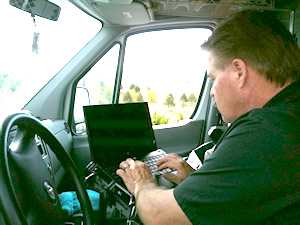
eBuilding Service is a web-based, technology-assisted building and property maintenance and repair service company bringing next-generation communications to the repair and maintenance business.
We do not use technology to avoid direct communication with our customers; we are reachable by phone 24/7/365 and you can always speak directly to a real human being. But we DO use state-of-the-art technology systems to enhance communication and provide the most responsive building maintenance and repair service possible.
How Does This Make US MORE RESPONSIVE and YOUR JOB EASIER?
Here's How:
Electronic Service Request (eSR Technology)
eSR is our exclusive online, web-based, Electronic Service Request job tracking system. Our amazing eSR system is state-of-the-art technology applied to the building maintenance and service industry to revolutionize how building maintenance and repair services, HVAC/R services, HVAC Subcontracting and Restaurant Repair and Maintenance Services are handled.
How ESR Works
- Every customer is given a private access code
- The code allows customers to log on to their account and their customized home page.
- From that page, with simple point-and-click technology, the customer can log on any time, and check job status online 24/7. Customers can see what was done, when it was done, by whom and whether the job is complete or waiting for a part or a follow-up service call.
- Clients can also see who their technician is and can call or send an e-mail directly.
- Information can be accessed by customer, by property, by the nature of the service or by technician. Each job has a timeline and a real-time status update. Job pages also include technician and supervisor job notes as well as cost estimates and proposals if applicable. The technician's time card is also visible so clients can see how much time was actually spent on the job.
- Photographs of the job for questions, and completion confirmation can also be entered.
- Once the technician reports that the service call is done, a supervisor reviews the file. No job is considered complete until after a supervisor has reviewed and approved the work.
- You can even ORDER work online. As soon as your service request is input, the supervisor is immediately notified of the service request. When a tech is assigned a ticket they get electronic notification, Any time a client adds a message, the supervisor and tech both get an instant electronic notifications that there have been updates or additional information/instructions added to the job page.
- Call us today for a free customer demo. 303-592-1055
Say Goodbye To The Frustration Of Not Knowing The Status Of Your Jobs. Did the locks get replaced at Unit X at Property Y? Log on and check! Wasn't the belt in that HVAC unit replaced in the spring? Log on and check!. Has someone been out to shovel the sidewalks yet? Log on and check! Is the gushing sprinkler repaired? Log on and check!
Additional Technologies That Enhance Our Building and Property Maintenance Services
- GPS & Mapping - Every service technician is provided with GPS so there is never any question about finding a job location. Techs get directions and notifications of the quickest route, or alternate routes in case of traffic, road closures or detours.
- Internet access - so that finding the nearest supply house for a part is a mouse click or a phone call away.
Call Us Today to Find Out More or To Give Us A Try
303.592.1055
|